 OB Lite
Sound familiar, Obsidian users?
You just want to open one note on your phone.
"I'd like to check Obsidian on my phone, but the setup looks complicated."
"The mobile git plugin conflicts again. I'll just fix it on my desktop later."
"Reading Markdown in GitHub's mobile UI is not it."
With OB Lite, it takes seconds.
Tap the icon and your vault is there. Read, edit, save — the commit happens behind the scenes. No clone, no merge, no waiting.
Compare your options
Three ways to open your vault on your phone.
Swipe sideways to see the whole table →
| OB Lite | Obsidian Sync (official) | obsidian-git plugin | |
|---|---|---|---|
| Price | ¥980 / $6.99, one-time7-day free trial — reading & editing stay free forever | From $4 / month | Free |
| Setup on your phone | Open in your browser, sign in with GitHub | Sign in to the official app | Git config on mobile — fiddly and error-prone |
| Merge conflicts | Save = one commit, checked against the remote first | Handled automatically | Common on mobile, fixed by hand |
| Runs on | Any browser (PWA) — nothing to install from a store | Official mobile app | Official mobile app + plugin |
| Sharing a note | One link, one note. All they need is a browser. Expires in 7, 30 or 90 days and can be revoked any time | Invite people to a shared vault — they also need Obsidian and a Sync plan | Give them access to the repository — they also need a GitHub account |
| A good fit if you want | Your notes on GitHub, with zero setup on the phone | End-to-end encryption and official support | Full control, and you enjoy tinkering |
OB Lite is a PWA — an app built on browser technology. It installs to your home screen straight from the web with no app store, updates itself automatically, and keeps offline drafts. Your notes stay only in your GitHub repository and on your device. For publishing notes as a site, Obsidian also offers Publish (from $8/month, with password protection). Prices are public information as of August 2026.
Not just your phone
Every new device. Zero setup.
"I just got a new laptop. I'm not setting up syncing all over again."
"On my iPad I only want to read one note, not set up a whole vault."
OB Lite runs in a plain browser tab.
Nothing to install, no admin rights needed. Open ob-lite.app, sign in, and your vault is there — on the laptop you just bought, the iPad you keep on the side, the family computer at your parents' place. Tokens expire after 8 hours and never leave that device.
How it works
Three steps, ready today
1Connect GitHub
Sign in with the GitHub App. Access is limited to the one repository you choose, with short-lived tokens kept on your device.
2Browse and edit
Markdown preview with wikilinks, outline navigation, search, and offline drafts.
3Save = commit
Every save becomes a git commit. Your desktop Obsidian picks it up on the next pull — no separate sync layer.
Vault not on GitHub yet?
You can move it there in about 10 minutes on your desktop — no command line needed. Version history and backup come with it, for free.
Features
Everything you need, right here.
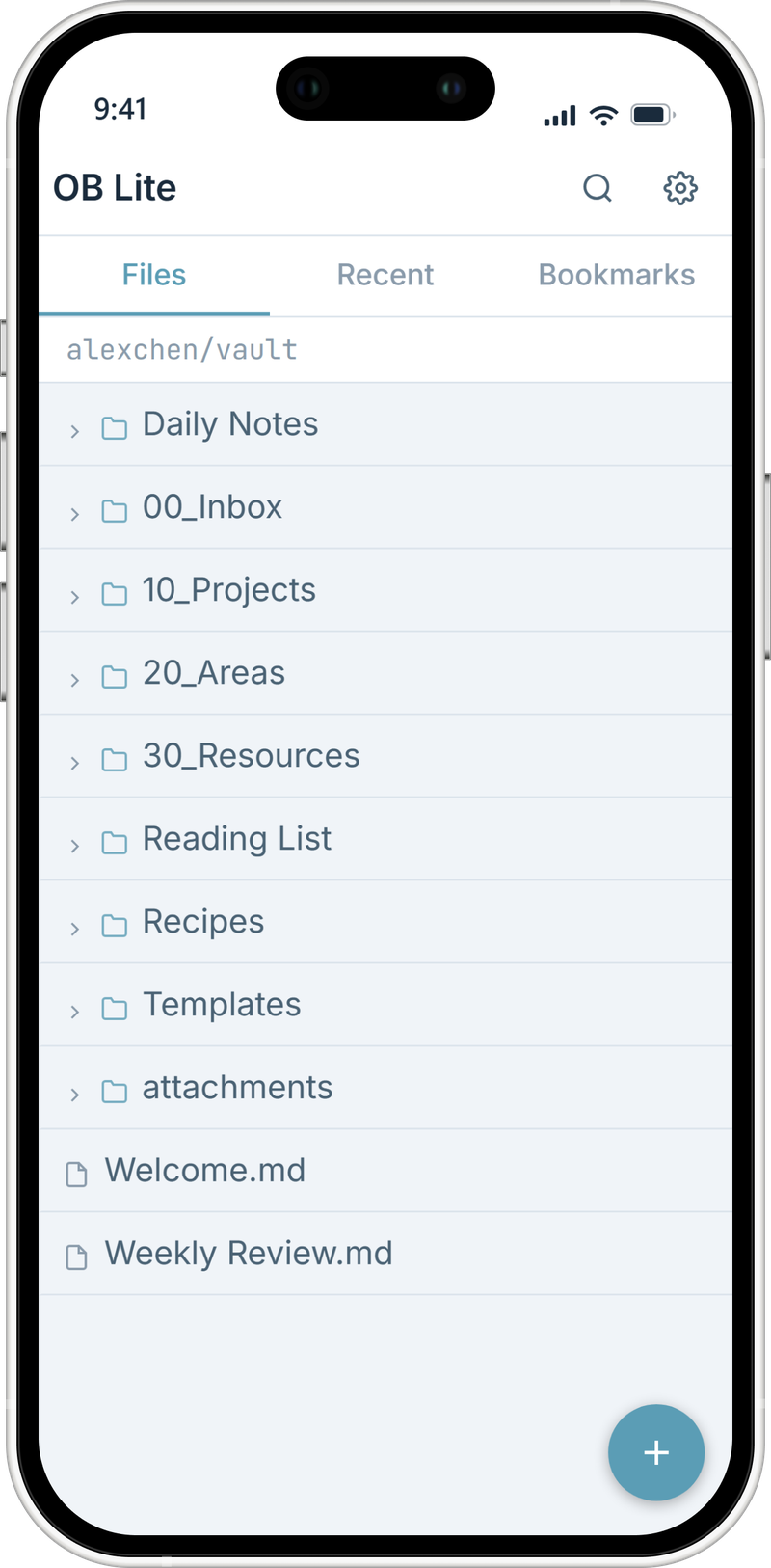
Obsidian, in the palm of your hand
Browse folders, search, and jump back to yesterday's note in a heartbeat.
- Full file search
- Recent notes
- Bookmarks
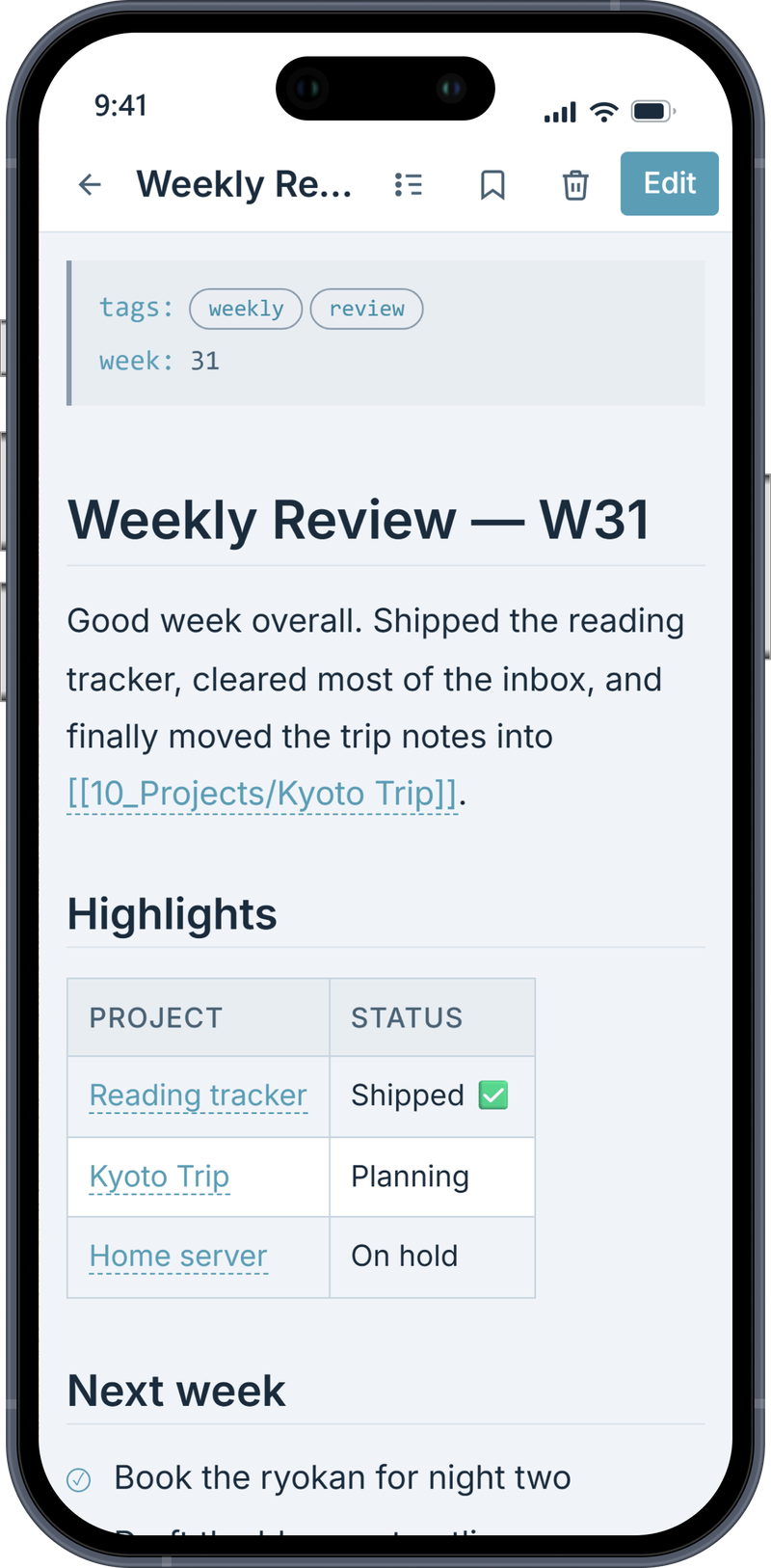
Reads like your desktop
The rendering you're used to, on a smaller screen.
- Tap wikilinks to jump between notes
- Outline drawer for long notes
- Dataview tables and private-repo images
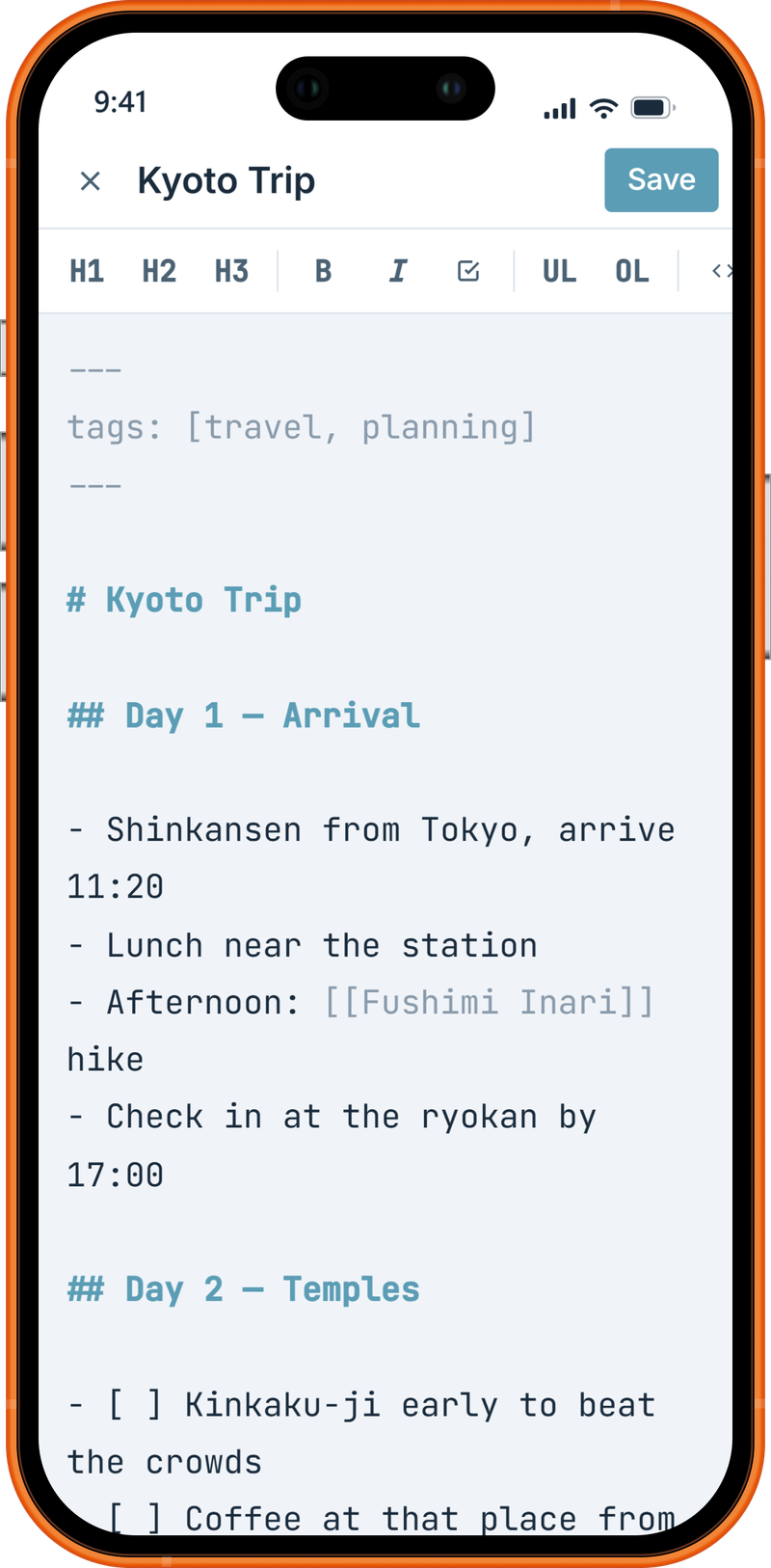
Written, saved, committed
Capture the thought and hit save — that's a git commit.
- Editor with formatting toolbar
- Offline drafts that sync later
- Save = git commit, automatically
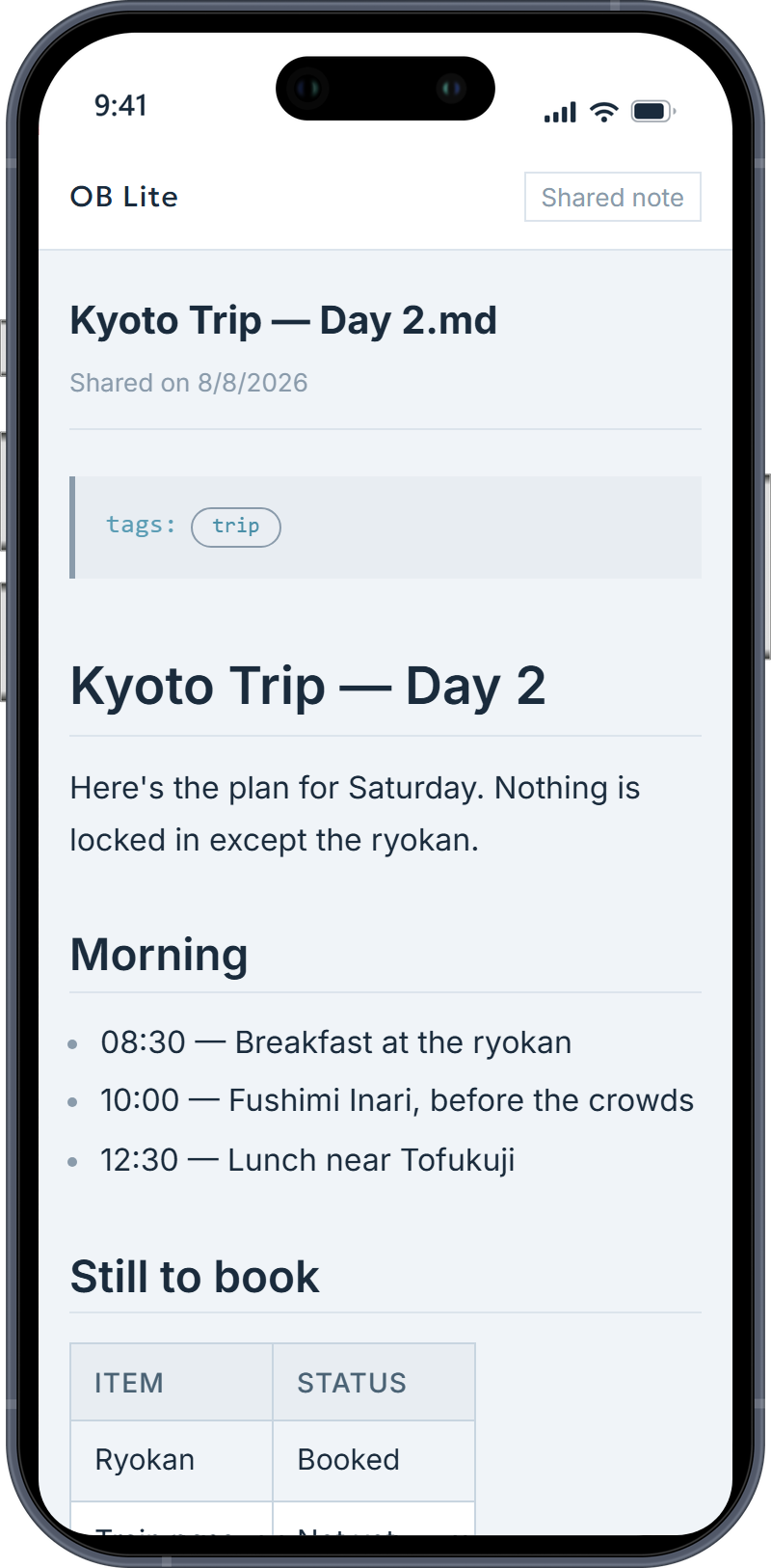
Share a note with one link
Send someone a single note — without giving them your vault.
- Anyone who doesn't have the link can't see it
- Expires in 7, 30 or 90 days
- Revoke it whenever you want
Install guide
No app store needed — installed in 30 seconds
OB Lite is a web app (PWA). Instead of downloading it from a store, you add it to your home screen from the browser — after that, it opens and works just like a regular app.
iPhone / iPad (Safari)
- Open ob-lite.app in Safari
- Tap the Share button
- Choose "Add to Home Screen"
Android (Chrome)
- Open ob-lite.app in Chrome
- Tap the menu in the top right
- Choose "Install app"
That's it — launch it from the icon on your home screen. No App Store or Google Play account required, and updates arrive automatically.
Pricing
One price. Just $6.99.
Every new account starts with a 7-day trial of everything — no card required. Reading and editing your notes stays free forever.
Free
¥0
- Read your whole vault
- Edit existing notes
- Search, recents, offline drafts
- 10 new notes per month
- 3 bookmarks
- Dark & Light themes
Pro
¥980 / $6.99 one-time
- Unlimited new notes
- Rename, move, delete
- Wikilink jump & outline
- Image upload, Dataview
- Moon theme, unlimited bookmarks
- Share links (expiring, revocable)
FAQ
Questions, answered
I've never used GitHub — can I still use OB Lite?
Yes. You create a free GitHub account and put your vault in a private repository — about 10 minutes on your desktop, no command line required. Our step-by-step guide walks you through it, and from then on your vault is versioned and backed up too.
Is this an official Obsidian app?
No. OB Lite is an independent app, not affiliated with or endorsed by Obsidian (Dynalist Inc.). It works with Markdown vaults in the Obsidian-compatible format.
Where are my notes stored?
In your GitHub repository and on your device — nowhere else. Our server never receives or stores your note content, and there are no analytics or trackers.
What permissions does it need?
Sign-in uses a GitHub App scoped to the single repository you pick. Tokens expire after 8 hours and live only on your device. A personal access token can be used instead if you prefer.
How do I install it?
OB Lite is a web app (PWA). On Android, open it in Chrome and choose "Install app". On iPhone, open it in Safari and choose "Add to Home Screen".
Can I use it on a work computer where I can't install software?
Yes. OB Lite runs entirely in a browser tab, so there is nothing to install and no admin rights are needed. Sign in, edit, and sign out when you're done — tokens expire after 8 hours and never leave that device. Before using it on a company machine, check your workplace's policy on accessing personal accounts.
Can OB Lite read the notes I share?
No. When you create a share link, the note is encrypted on your device before it is stored. The key that unlocks it lives inside the link itself and is never sent to our server — so nobody without the link, including us, can see the contents or even the filename. Links expire after 7, 30 or 90 days, and you can revoke one at any time.
Can I get a refund?
Due to the nature of digital goods, purchases are non-refundable — but if a serious defect stops you from using OB Lite, contact us and we'll make it right. Try everything free for 7 days before you decide.
 OB Lite
Take your ideas with you.
Put your brain in your pocket.
Get new guides by email
Occasional emails when we publish a new guide or ship a notable feature. No spam, unsubscribe anytime.
Thanks — you're on the list! Something went wrong — please try again.